Guide
An Adobe Acrobat alternative for making fillable forms
Updated 11 October 2026. Prices are the US prices on adobe.com on that date.
Short answer: if you build or edit forms every week, Acrobat is the most complete tool and its subscription can be worth it. If you need one form, or a few a year, you can do it for free with LibreOffice, for $5 with a week of an online editor, or for $4 per form with Fillable.
What Acrobat costs
Every Acrobat plan for individuals includes creating fillable forms. Adobe lists three ways to pay:
| Plan | Annual, billed monthly | Annual, paid up front | Month to month |
|---|---|---|---|
| Acrobat Standard | US$14.99 a month | US$179.88 a year | US$24.99 a month |
| Acrobat Pro | US$19.99 a month | US$239.88 a year | US$29.99 a month |
| Acrobat Studio | US$24.99 a month | US$299.88 a year | US$34.99 a month |
Adobe's pricing page says the annual plan billed monthly carries a fee if you cancel after 14 days. Pro has a 7-day free trial that turns into a paid plan unless you cancel it first. So the cheapest way to make a single form in Acrobat is the trial, if you remember to cancel, or one month at US$24.99.
What Acrobat does well
- Prepare a Form detects fields on digital and scanned forms.
- Every field type: text, checkbox, radio buttons, dropdowns and list boxes, signatures, buttons.
- Calculated fields and validation scripts, for order forms that add up totals.
- Web forms in Pro and Studio, and sending forms out to collect responses.
If you need radio groups, dropdowns or totals that calculate, Acrobat (or another full PDF editor) is the right tool, and none of the cheaper options below match it.
The alternatives
| Tool | Cost for one form | Finds fields | Field types |
|---|---|---|---|
| LibreOffice Draw or Writer | Free | No | Text, checkbox, radio, list, combo box, buttons |
| Sejda (online) | Free within limits, $5 for a 7-day pass | Auto-detect button | Text, multiline, checkbox, radio, dropdown, signature box |
| Fillable | Page 1 free, $4 for the whole form | Yes, in your browser | Text, multiline, checkbox, date, number, signature |
| Acrobat | US$24.99 for a month, or the 7-day Pro trial | Yes | All of them, plus calculations |
Step-by-step instructions for LibreOffice are in making a PDF fillable without Acrobat.
Why I built Fillable
I don't love paying a monthly fee for something I need twice a year, and turning a flat form into a fillable one is that kind of job. So Fillable charges per form: you get the file, you pay $4 once, and there's nothing to cancel. Before paying you can download page 1 as a real fillable PDF with a small "Made with Fillable" line at the bottom and try it in your own reader.
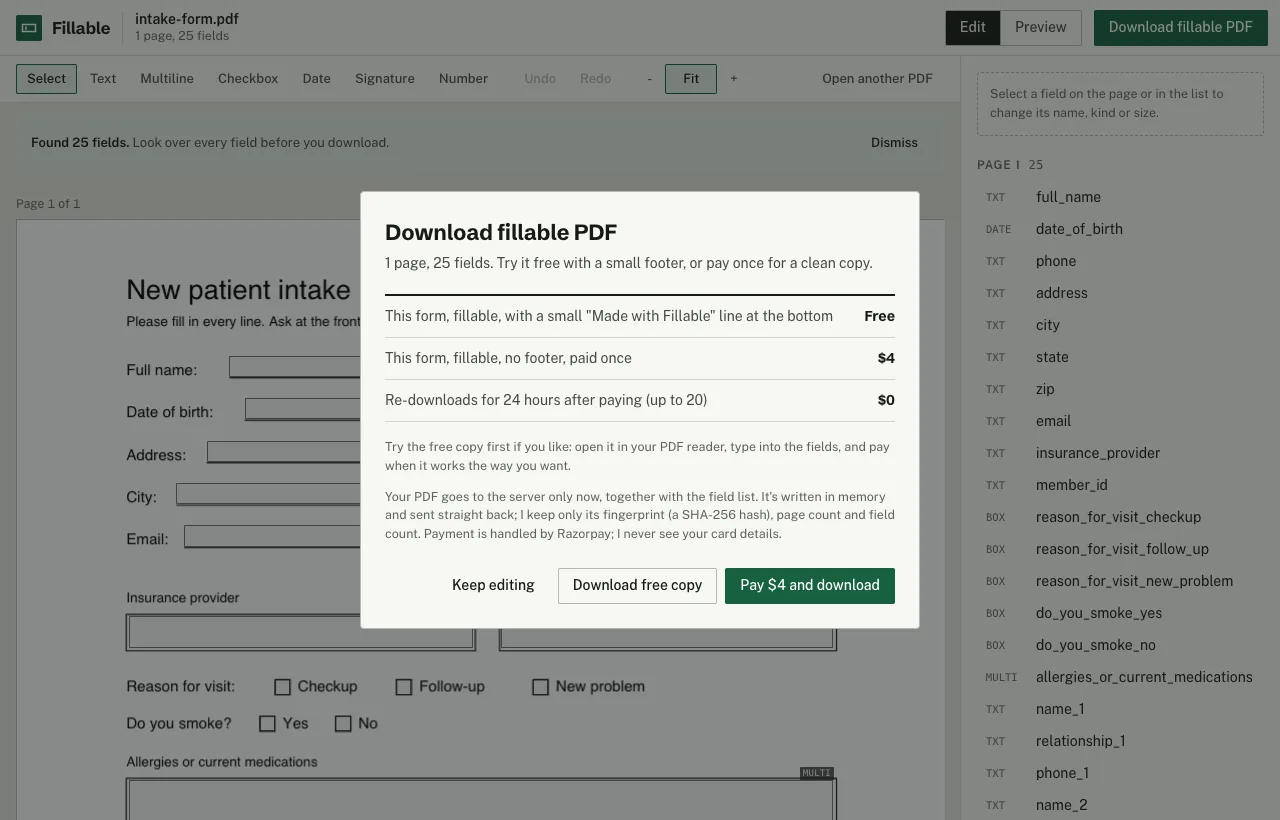
What it doesn't do, plainly: no radio button groups, no dropdowns, no calculations, no web forms or response collection. Date and number fields get Acrobat's standard formatting scripts, and signature fields can be signed in readers that support digital signatures, such as Acrobat Reader.
Fillable finds the lines, boxes and checkboxes in your PDF in the browser, lets you fix them, and gives you back a real fillable PDF. Page 1 is free to download (with a small "Made with Fillable" line at the bottom), so you can try it in your own PDF reader. The whole form without that line is $4, once. No account, no subscription.
Make your form fillableSources
- Adobe Acrobat pricing (US)
- Adobe Acrobat free trial
- Adobe Help: convert documents to PDF forms
- Sejda: PDF forms and Sejda pricing
More: scanned forms, what Mac Preview can do.